This article offers 2 ways for users to purchase & activate Bitwar Data Recovery.
Here we will show you how to activate the software step by step
First, Register an account and pay the membership with the inside checkout center.
Step One,
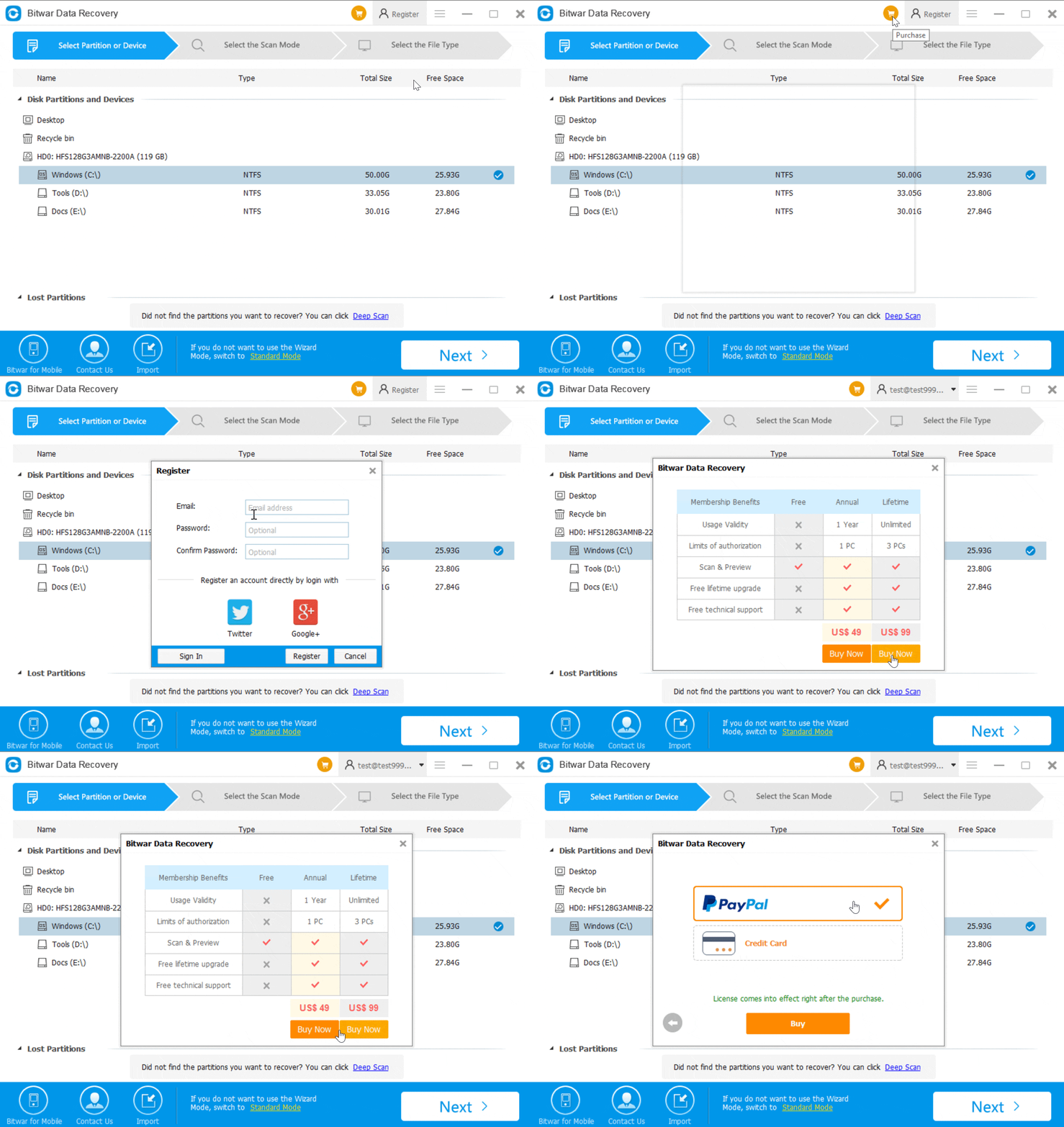
Launch Bitwar Data Recovery, click Purchase, follow the tips to register an account.
Step Two,
Select Annual Membership or Lifetime Membership and click Buy Now.
Step Three,
Select Paypal or Credit Card and click Buy, you will turn into Paypal check center or Bitwar Official checkout center. Follow the tips to pay the fee.
Once we received the payment from you, we will send you the confirmation email. Then your account is has a VIP flag.
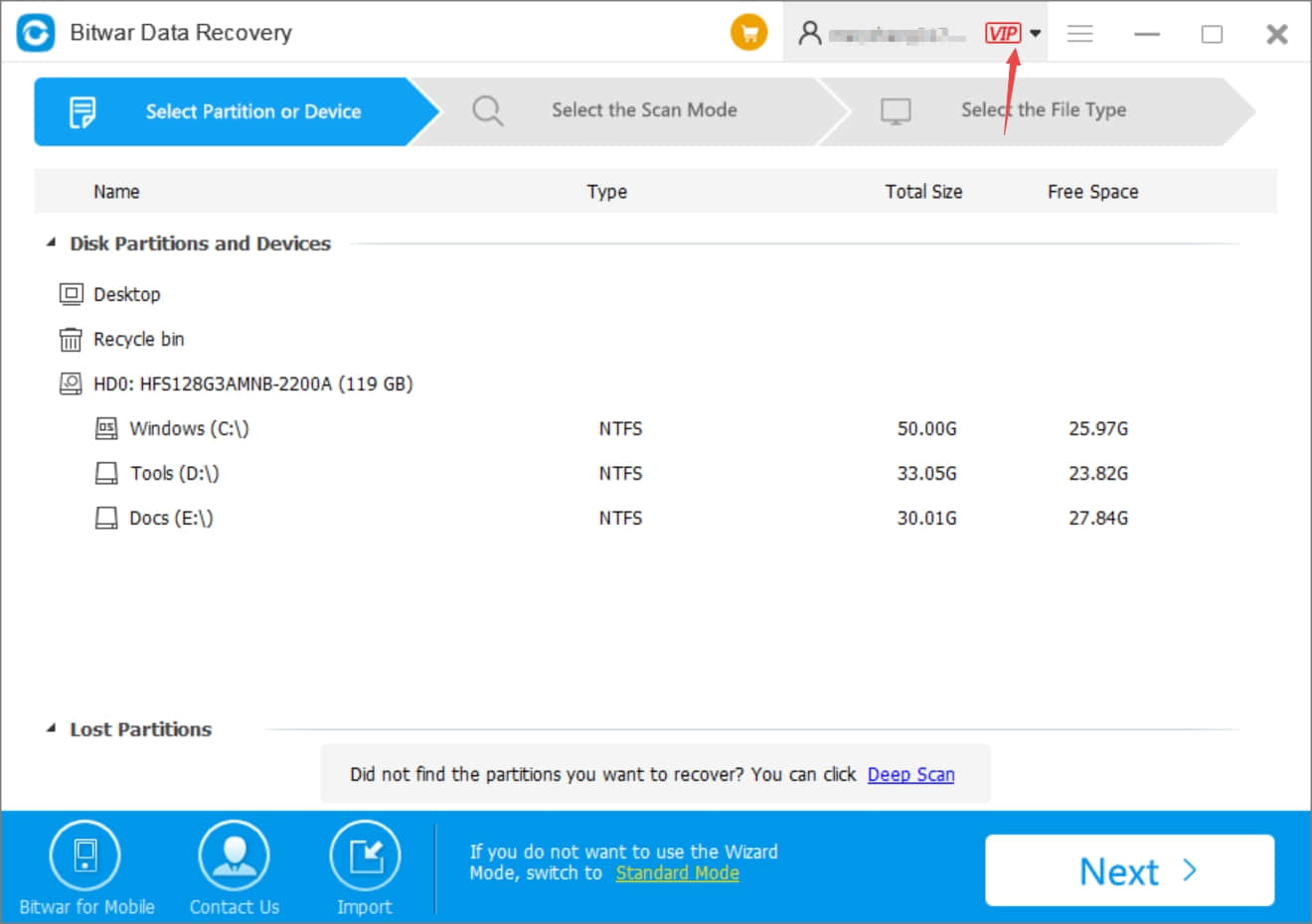
You can click the drop-down menu and select My account to check your VIP time limits.
Secondary, Activate Bitwar Data Recovery with a license code
Once you bought an annual membership or lifetime membership from our online store, you will have a license code that we sent you by email. Then you can activate Bitwar Data Recovery with this license code.
Step One,
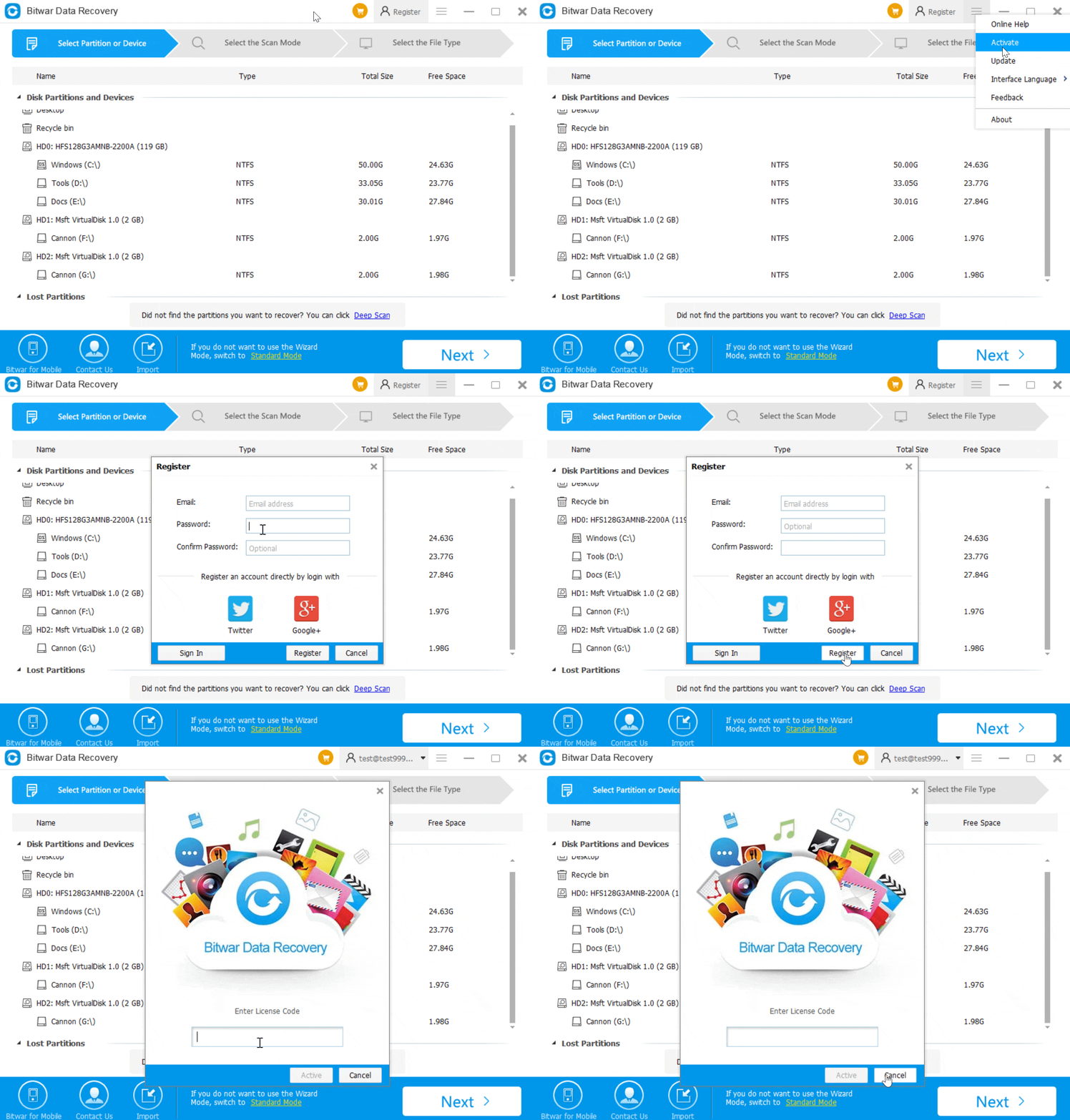
Launch Bitwar Data Recovery, click More Menu, and select Activate.
Step Two
1, If you have an account already, sign in the account and then there's a license code window show up.
Enter the license code and activate it.
2, If you don't have an account, register the account by using your email address or login directly with Facebook, Twitter, Google+ account,
Once you registered the account, you will have a pop-up license code window, enter the license code, and activate.
Enter the license code and activate it.
2, If you don't have an account, register the account by using your email address or login directly with Facebook, Twitter, Google+ account,
Once you registered the account, you will have a pop-up license code window, enter the license code, and activate.
Step Three,
After activation, you will find your account with a VIP flag.
Let's try it now!
Please refer here for more about Bitwar Data Recovery.
评论
发表评论